

Don’t Buy Cat8: How to Pick the Perfect Ethernet Patch Cord for Your Home Without Overpaying

Are you sick of searching Amazon for “40 Gbps Gaming Ethernet Cable” and being disappointed with performance? The reality is most homes don’t need Cat8 overkill. Cat5e or Cat6 handles 99% of home setups from 100 Mbps plans up to 1 Gbps routers, and you don’t need to pay for stiff, expensive wires to do so.
The guide will also show the speed x distance charts for desk-to-desk hops, room-to-room runs, and whole-house runs. How to perform hardware checks via speedtest.net to measure your true hardware ceiling. How to detect knock-off products by a 3-minute jacket inspection you can do at home (don’t use aluminum CCA!). Plus, room template matching for cables, television sets, PC gaming, and NAS drives.
Three sample shopping carts with actual price comparisons: a $30 shopping cart as the baseline versus a $170 trap. The Cat6 cable has much more flexibility when moving furniture than the stiff Cat8. The FAQ debunks all of these myths surrounding pings, flat vs. round cables, and colors. A 30-minute assessment will show you how to ensure you’ve made your upgrades accurately and saved hundreds by using your new cables smartly.
 Why Amazon’s “40Gbps Gaming” Ethernet Patch Cord Hype Rarely Delivers Real Home Speeds
 Why Amazon’s “40Gbps Gaming”
 When looking at products on Amazon, shoppers will often notice listings for “40Gbps gaming” Ethernet patch cables. The ads assert that games will run as smoothly as possible without any lag, and that streaming video will occur at lightning-fast speeds throughout the entire home. Once they purchase the product and connect it, they run a speed test and quickly find that the results look very similar to their WiFi speeds (or sometimes a little slower).
That’s when it clicks that almost all of the internet plans available for home use are capped at 100 Mbps, 300 Mbps, or (if you’re extremely lucky) 1 Gbps. Therefore, while those expensive cords may advertise “extreme speed,” they cannot increase the speed of an internet modem that does not go above what it was originally rated for.
Next, you must consider your router. The majority of router models from well-known brands such as TP-Link and Netgear are capped at 1 Gbps via Ethernet connection on the router’s LAN ports, while many of the lower-end brands will only go to 100 Mbps.
Your laptop, gaming console, or streaming device is also going to be limited to the maximum negotiated speed of the Ethernet connection (either 100 Mbps or 1 Gbps). Because your runs through the house are very short (e.g., router to desk or TV), any good-quality Cat5e or Cat6 cable will be more than adequate for the application. Higher-rated cables (such as Cat8) just sit unused with no added benefits over what you already have in your network.
Patch cables function best for making short runs between different pieces of equipment that may change locations (e.g., moving a gaming console from one wall to another). Since you will not typically remove these cords from their original position, you will want to match the cord with the actual speed and distance of the devices that it is connected to, and not just the highest possible rating.
Consider an apartment where the owner rearranges their furniture every few seasons, for example. A flexible Cat6 patch cable allows easy connection of a gaming console to a TV and will not cause any stress to the cable due to the continuous movement of furniture, while a high-end cable will put excessive strain on the cable.
How to Check Your Hardware First So Ethernet Patch Cords Actually Make a Difference
 How to Check Your Hardware First So Ethernet Patch Cords Actually Make a Difference
To determine your bandwidth limitations if your network is lagging, use this simple speedtest.net test as your baseline. Connect an Ethernet cable directly from your laptop to your internet provider’s modem and perform three separate tests for download speeds, upload speeds, as well as the ping time on speedtest’s homepage. The results of this test reflect your connection speed at the modem without any interference from your ISP’s router or WiFi.
Check the specifications of your router on the manufacturer’s website. Most mid-range models have a maximum speed of approximately 1 Gbps, and budget models manufactured several years ago may only provide a speed of around 100 Mbps. These two factors provide you with the knowledge of what the maximum speed your Ethernet cord can possibly achieve.
If you have a Windows computer, to check your network’s adapter for the maximum link speed, right-click on the icon in your taskbar, select “View Status,” and log the link speed displayed on the screen. Your current onboard network adapter is likely at most 100 Mbps or 1 Gbps, while a newer network adapter will potentially be up to 2.5 Gbps.
You can then run the same speedtest using your wireless network as the source. If your wireless speed lags behind your Ethernet cable speed, then the bottleneck that results in a slower speed will be located either in the router or the ISP.
What the Speed × Distance Matrix Reveals About Ethernet Cable Categories for Home Network Cabling
The Speed – Distance Chart simplifies the confusion of what speed is right for your home needs and which cable option would best perform in real-life terms. A plan at 500 Mbps or faster will work well for all types of desk setups that are located less than 3 meters from your network router; this is due to the very short distance between them. At 1000 Mbps, Cat5e or Cat6 will perform equally well at that distance. When using the 2.5 Gbps plan, Cat6 cable is recommended due to its increased level of reliability; 10 Gbps will require the use of Cat6a cable to effectively reduce interference caused by light fixtures or appliances nearby.
Distance-wise, between 5 and 10 meters, 100-500 Mbps plans will continue to be affordable and reliable on Cat5e and Cat6. 1000 Mbps can be expected to perform reliably on Cat6, while 2500 Mbps requires the use of either Cat6 or Cat6a cable. 10 Gbps needs Cat6a since Cat6 performance drops after 55 meters.
Between 15 and 30 meters distance from the router, Cat6 will outperform Cat5e for mid-band rate plans as a result of excess levels of ambient noise at peak hours. Cat6 will operate well at 1000 Mbps or greater, and anything faster must use Cat6a cable. Full-length distances of 30 to 50 meters from the router are still valid for 1000 Mbps on Cat6, while anything faster will require the use of Cat6a cable, and all connections must always be tested at both ends.
| Your Speed → | 100-500 Mbps | 1 Gbps (1000 Mbps) | 2.5 Gbps | 10 Gbps |
| Distance ↓ | ||||
| 1-3m (desk to router) | Cat5e | Cat5e/Cat6 | Cat6 | Cat6a |
| 5-10m (room-to-room) | Cat5e/Cat6 | Cat6 | Cat6/Cat6a | Cat6a |
| 15-30m (across house) | Cat6 | Cat6/Cat6a | Cat6a | Cat6a |
| 30-50m (whole home) | Cat6 | Cat6a | Cat6a | Cat6a (test) |
When used in short lengths, the quality of a signal is maintained by the use of Cat6 cabling. This is true for cable runs up to 55m (180 ft), where the 10G standard applies to clean installations via this type of cabling. Extending beyond this distance would show how well Cat6A protects against “dropouts.”
You will find that you need to test for that speed post-install on runs of this length. A test example: take a 300 Mbps (500 Mbps) video signal sent out 5m (15 ft). Using Cat5e cabling, you can send this signal without any interruptions or loss of frames.
What about a gaming system 2 meters (10 feet) closely connected to the switch? This distance is okay for the Cat6 cable as it is robust and will handle heavy bursts of data. What about using a NAS located 10m (30 ft) away from the switch at 2.5 Gbps? Again, Cat6A will transfer those large file transfers over the long distance without data loss through multiple connections.
A family that has Cat6 cabling throughout their house will take advantage of lag-free 4K streaming video from multiple devices as they will have optimized WiFi 6 routers.
Why Cat6 vs Cat8 “Future-Proofing” Often Costs You Flexibility and Money at Home
 Why
Why Sellers pitch the Cat8 as the unbeatable future-proof copper cabling choice. But when you look at it from a home perspective and consider that Cat6 at $5-$10 has a max bandwidth of 1 Gbps, reaching 10 Gbps on runs of 55 meters or less (when installed under good conditions), it covers most of the plans you would need from your internet service provider to be able to use standard residential/networking hardware without paying a higher price. Buyers can pay 2 to 4 times more for Cat8 cable and receive no additional value to their homes, as the capabilities of your home’s internet access hardware won’t change. The Telecommunications Industry Association (TIA) has also published standards regarding Cat6 cable’s suitability for home applications, confirming that it will perform adequately for distances of up to 100 meters at gigabit speeds without requiring any additional features to be employed.
In addition to cost, another drawback of Cat8 is its poor flexibility. Cat6 easily bends when placed behind cabinets or around desks during cleaning. It also snaps securely into an RJ45 jack even when handled frequently by end users. Cat8 is stiffer because of its increased bulk and more extensive shielding, and so continually puts a strain on RJ45 ports on laptops and broadband routers.
As a result, loose connections at RJ45 ports become a common occurrence after months of use, as reported in online forums and reports provided by cable installers. Homes do not provide the proper grounding conditions for Cat8 cable to perform optimally. If there is no proper end-to-end grounding for Cat8 shielding, the shielding can behave as an oversized interference antenna instead, causing further degradation of net speed.
Conversely, unshielded Cat6 twisted pairs continue to function effectively in standard walls. When performing cost comparisons, you will quickly see that, for the same amount of money, you can outfit your entire dwelling with Cat6 cable–and potentially have money left over to buy a switch or access point to expand your network’s capabilities.
In storage rooms or basements filled with festive lights or clutter, you will find that Cat8 cable displays its stiffness when handling is done during cleaning, whereas Cat6 cable gracefully adapts to the circumstances.
How to Match Ethernet Patch Cord Length to Stable Throughput Without Messy Runs
 How to Match Ethernet Patch Cord Length to Stable Throughput Without Messy Runs
For optimal cable installation, measure the precise distance of each cable run. Measured distances should be rounded up to allow for slack and bending; additional slack will reduce cable strain during installation. Short distances, less than 1 m, do not produce any problems with 1GBASE-T (Gigabit Ethernet) cables when used with 1GBASE-T networks; excessive length will produce clutter on desks and provide trip hazards on floors.
For proper TV placement, ensure that cables don’t extend longer than 10 meters to maintain a clean appearance and to avoid snagging by vacuum cleaners. If you need to install a cable run from your attic/loft area to your house/TV area with multiple consumers (more than one TV), use Cat6 or Cat6a cable, depending on how many devices you’ll connect to your TV.
Although Cat6 flat cable can be run under area rugs due to its low profile, it is not recommended for runs of more than 5 meters due to signal weaknesses caused by unshielded internal conductors; however, tests indicate that it generally performs like round conductors. By using Cat6, you have the flexibility of easily routing your cabling around furniture.
Custom-length cables can help you maintain your home gaming area by allowing you to swap out the ports on your router; you may prefer to run a cable from your gaming area to your living room at a length of 10 meters or greater. If you need to run a cable above your living room ceiling to any equipment below, consider using Cat6a cable; any bends in the cable along its path will result in video loss during live streaming and video backups.
To avoid the trouble of identifying your cable routing during rewiring or furniture rearrangement, clearly label the length of your cable; e.g., “Desk-Router 2m.”
What a 3-Minute “Jacket Scan” Tells You About Real vs Fake Ethernet Patch Cords
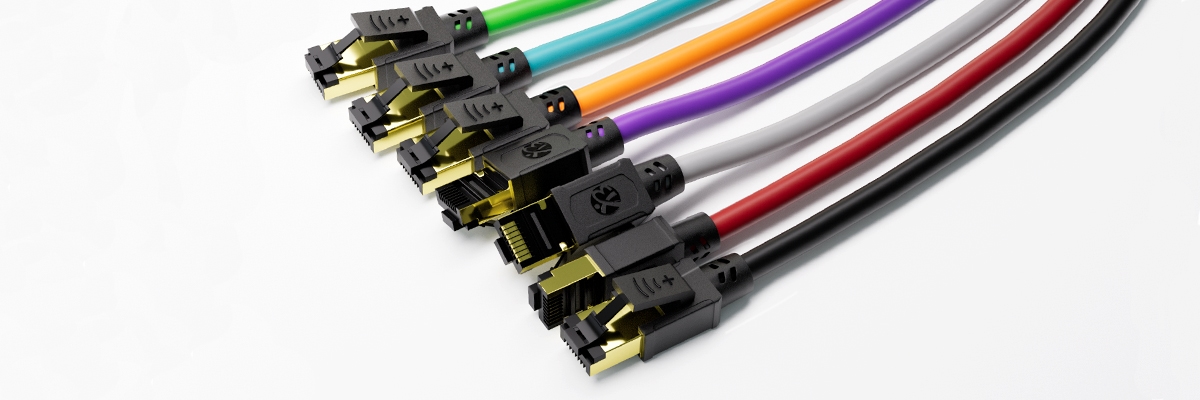 What a 3-Minute “Jacket Scan” Tells You About Real vs Fake Ethernet Patch Cords
Box content labels aren’t typically helpful to consumers. By looking at a cable’s jacket (the biggest part that contains the twisted pair wires), you’ll quickly see how true to TIA/EIA standards a cable is, based on the printing (i.e., CAT6, gauge number of 24AWG) and the overall appearance of the cable. The absence of legible printing or faded printing usually indicates that corners were likely cut during the manufacturing process.
The best way to confirm the quality of a given installation is to verify the jacket’s UL E-file number (e.g., E123456), and then do an online search at the UL Product iQ site. This provides a definitive resource to verify the actual vendor and certification for the product. When you see “CCA” on a cable, this indicates that it is made with copper-clad aluminum (the outer layer of copper encased around an aluminum core) and should be avoided at all costs.
The copper on the CCA will become too hot and create a fire hazard when running a power supply to devices such as security cameras. On the other hand, pure copper cables (marked “BC,” “CU,” or without “CCA” markings) are good as they run cooler than their counterparts, are capable of hitting longer distances at higher speeds, and will not crack, melt, or create sparks when used in an enclosed wall environment, as backed by UL & ETL certifications.
Unshielded twisted pair cables are best for home use as they eliminate the need for a ground wire; however, the use of a shielded twisted pair cable protects against interference on long runs, but they will if not connected to the building’s electrical ground wire, as they can act like an antenna and cause distortion on the original signal path. If PVC cable jackets do not include a 24AWG or CAT printing specification, their chances of meeting specification are remote, regardless of what is claimed.
UL and ETL certifications will assure that the insulation on a given cable can resist burning and meet UL safety standards. In one instance, an installer switched out a batch of hot CCA cables and found that the pure copper cables provided him with secure speeds.
Positive indicators include printing on a wire jacket indicating the cable’s category and gauge, copper identification, UL & ETL certification icons, and unshielded identification tags. Negative indicators are hype-only packaging, ambiguities about CCA cables, inconsistencies in gauge specifications, and ungrounded or improperly shielded cables.
How Room-by-Room Templates Turn the Matrix Into Your Exact Home Network Cabling Plan
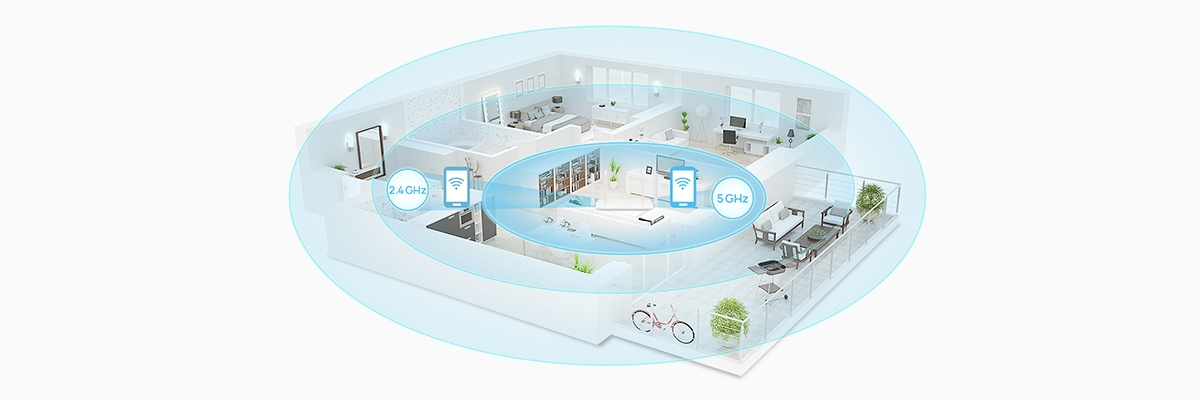 How Room-by-Room Templates Turn the Matrix Into Your Exact Home Network Cabling Plan
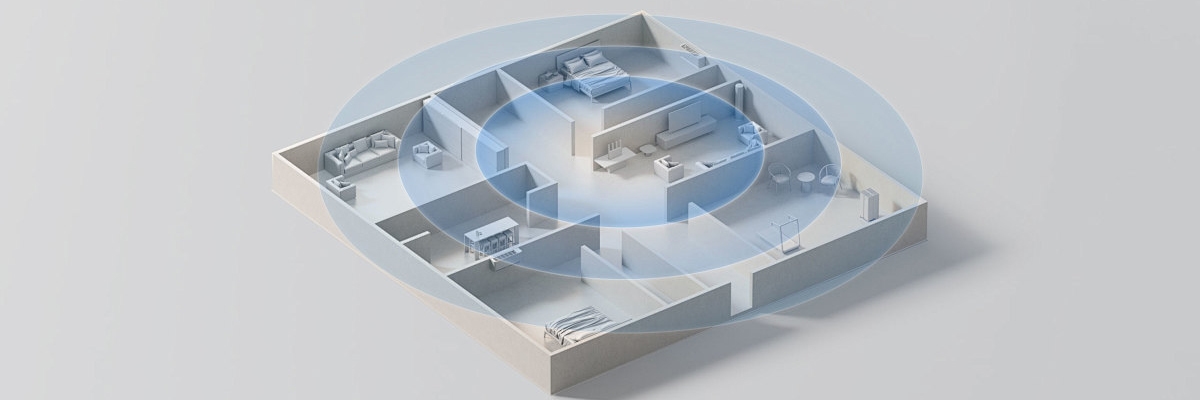
Create a layout of the Matrix in Rooms using your floor layout as a guide; your starting point is the Living Room, where television receivers require a steady stream of 4K over a distance of 5 meters from the router or switch. Utilize Slim Cat5e cable to fit through the smallest gaps behind your TV units. It will allow you to distribute bandwidth easily, without creating bulk for movie nights.
Gaming consoles or PCs have power requirements very close to where they are situated. These devices should be located within 2 meters of your desk switch. Using Cat6 cabling allows you to play games online with little to no lag time and enjoy updates continuously. The cable’s booted ends will outlast those of the older Cat5e cables.
Closet NAS systems require both distance and durability from the Primary Router to the Backup Router. You can connect your NAS to the Primary Router (less than 10 meters away) using fast routes, using Cat6a cable to navigate the ceiling and through multiple twists during the transfer of large amounts of data. The port will be labeled to identify it quickly if the speed of the connection decreases.
Office Desks may experience numerous issues during the course of a day. By keeping a Cat6 cable (3 meters in length) between the Laptop and the Switch, you will be able to conduct phone calls, share files, and perform all other functions associated with a computer at maximum capability. The additional strain relief means that when an office worker turns in a rolling chair to retrieve a keyboard, it will not create a significant amount of stress on their cables, as would be the case with flat cables.
To maintain the highest level of reliability for your home office, replace existing damaged cables with labeled new cables (such as “Office Port 2”). This will simplify the organization of the office desks, increase reliability, and improve the ability to meet your needs. When families relocate from their Living Rooms to their Home Offices, this mapping of their homes has helped them create a better way to connect upstairs with their families and create a seamless transition back and forth.
Having leased units provides fast internet connections based on your Zone Audit, as well as peak performance times, allowing you to adjust and adapt your internet connection as your habits change.
How Three Real Shopping Carts Expose the True Over-Configuration Cost Trap
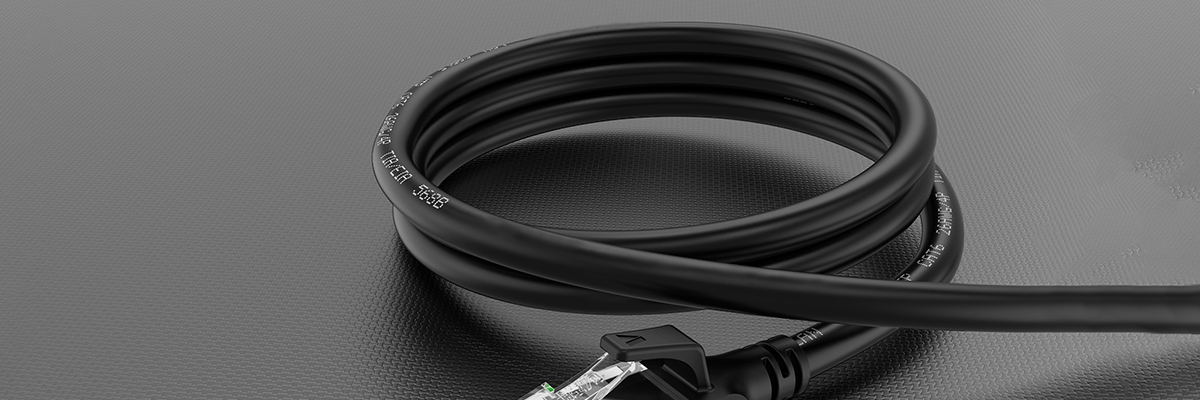 How Three Real Shopping Carts Expose the True Over-Configuration Cost Trap
True carts will reveal the traps for upgrading as the baseline will have 2 1m Cat6 for desk use, 3 3m Cat6 for peripherals, and 2 10m Cat6 for room use, all at an average of $25 to $35 total to give you the maximum speed throughout your home with no waste.
Two such companies are Monoprice and Cable Matters, both of which are trusted names in the cable space. Avoid purchasing cables from unknown companies that use random strings of uppercase letters in their names, such as “XYZPQ,” “ABCD99,” etc., as these are usually indicative of Amazon sellers that are peddling counterfeit CCA cables.
If you want extra assurance about these companies, check the jackets of the cables for UL E-file numbers and verify them online; only buy cables that you have confirmed are pure copper made by legitimate manufacturers. You can tweak your current upgrades (2 x 1m Cat6 for desk) and add one 5m Cat6a to increase your NAS to switch speed. It will cost approximately $50 to $65.
The additional money that you spend on the higher-quality cables will pay off with much faster transfer speeds than what you would get from using a 10m Cat6. The difference in price between the 5m Cat6a and the trap cart is between $140 and $180 versus the $25 to $35 for the baseline Cat6; 5 times more for standard home network equipment limitations; as well as the fact that the 5m Cat6a is much stiffer and not as flexible as the baseline Cat6 cable.
This same gap in price will allow you to purchase a year of ad-free streaming, an eight-port gigabit switch to add more wired ports to your home, or wireless extenders to eliminate dead zones in your home; a greater value than purchasing high-end cables.
Other forums have highlighted customers dumping expensive packages after using them, switching to a switch that is capable of doubling their household speeds. Vendors often promote their products with a “future-proof” designation; however, homes that invest in baseline carts avoid many repositioning problems and ultimately have a better experience than homes that invest in the high-priced cords.
How a 30-Minute Home Audit + Test Kit Verifies Your Ethernet Patch Cord Upgrades
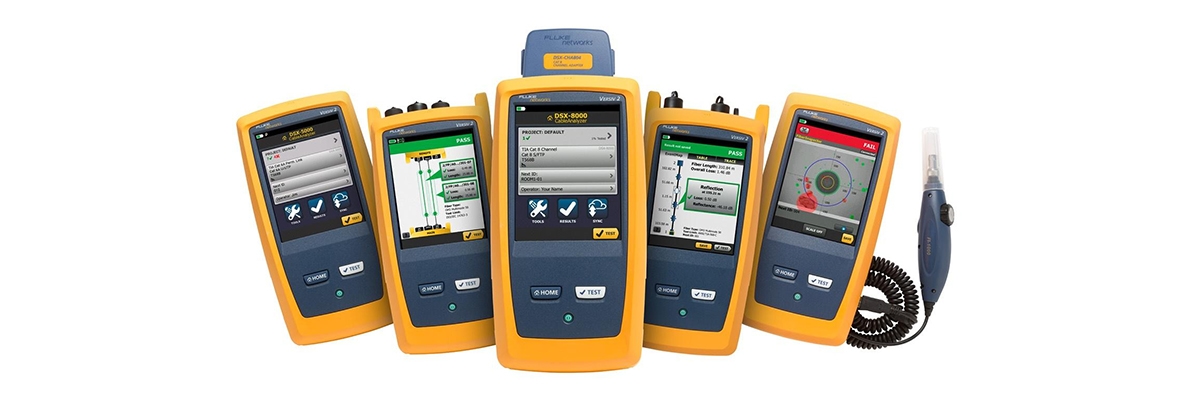 How a 30-Minute Home Audit + Test Kit Verifies Your Ethernet Patch Cord Upgrades
Use a low-cost cable tester along with speedtest.net and iPerf3 to quantify the performance improvement (or lack thereof) resulting from the addition of new cabling. Take pictures of all devices, cables, and ports in each room for tracking purposes.
Use a tape measure to measure the distance between the ends of the cabling and the router/switch, and mark the measured distance on the walls, baseboards, or cabinets; this will help you make a matrix that lists all the connections.
Once you have completed the cabling, measure the peak performance of a wired laptop using iPerf3 and then record the results for future comparisons; if you notice any flat spots, there could be a problem with the cabling to the router.
Many technology-related homes conduct these tests prior to the busiest shopping time to identify potential problems early on. As an additional resource, print out the matrix and jacket-scan sheets and use these as part of your audit documentation. Use these to help you align your cabling runs and record the weekly performance data on them for future comparison.
FAQs
Question 1: Does Cat6 cable provide a reduced ping when compared to Cat5e for gaming?
Answer: No, there’s no difference in latency for cables of 50m or less, and all latency issues originate from the ISP or WiFi.
Question 2: Are “flat” Ethernet cables just as good as “round” cables?
Answer: Yes, if the length is less than 5m; if the length exceeds 5m, twisted pairs will untwist and cause crosstalk. Round cables maintain the signals over longer distances more effectively.
Question 3: Is CCA good?
Answer: CCA is not good because of the poor conductivity of aluminum. While CCA will work, copper is the standard because it is not prone to failure like aluminum will be.
Question 4: Does a 100Mbps plan need Cat6a?
Answer: No, Cat5e easily handles any 100Mbps home network; upgrade your service first.
Question 5: What should I do if I have too many long patch cords?
Answer: Coiling excess length creates electromagnetic interference. Measure the actual distance from the computer to the router, and then add 2 feet to that measurement before buying the patch cord.
Question 6: Do colors affect speed?
Answer: No, the only use of color is for identification; speed is not dependent on color.
Question 7: Should I replace all my old cables?
Answer: If your old cables are still functioning, you can keep them and recycle the non-functional ones; a decade-old cable remains at least adequate, provided it is working.
Reference Sources
- Ethernet Cables Explained | Eaton – Comprehensive guide to Ethernet cable categories (Cat5e to Cat8), including speed, bandwidth, distance limits, and home networking recommendations.
- The Ultimate Guide to Network Ethernet Cables | Intellinet Solutions – Details TIA-recognized standards for Cat6, Cat6a, and Cat8 cables, with performance specs for residential and professional use.
- Cat5e Cat6 Cat6a Cat7 Cat8 Ethernet Cable Buying Guide | VCOM – Compares cable categories for home/gaming/streaming, recommending Cat5e/Cat6 for most households and higher for specialized needs.
- CCA Vs. Solid Copper Ethernet Cables | trueCABLE – Explains why pure copper outperforms CCA in speed, PoE safety, heat resistance, and fire hazard avoidance.